30
PTR Record Explained: What Is Reverse DNS and How Does It Work
Learn what a PTR record is, how reverse DNS lookup works, how IPv4 and IPv6 reverse DNS names are formed, and how to check PTR records for an IP address.
DNS usually helps you find the IP address associated with a domain name. But what if you have an IP address and want to find the hostname associated with it? That is where reverse DNS lookup comes in.
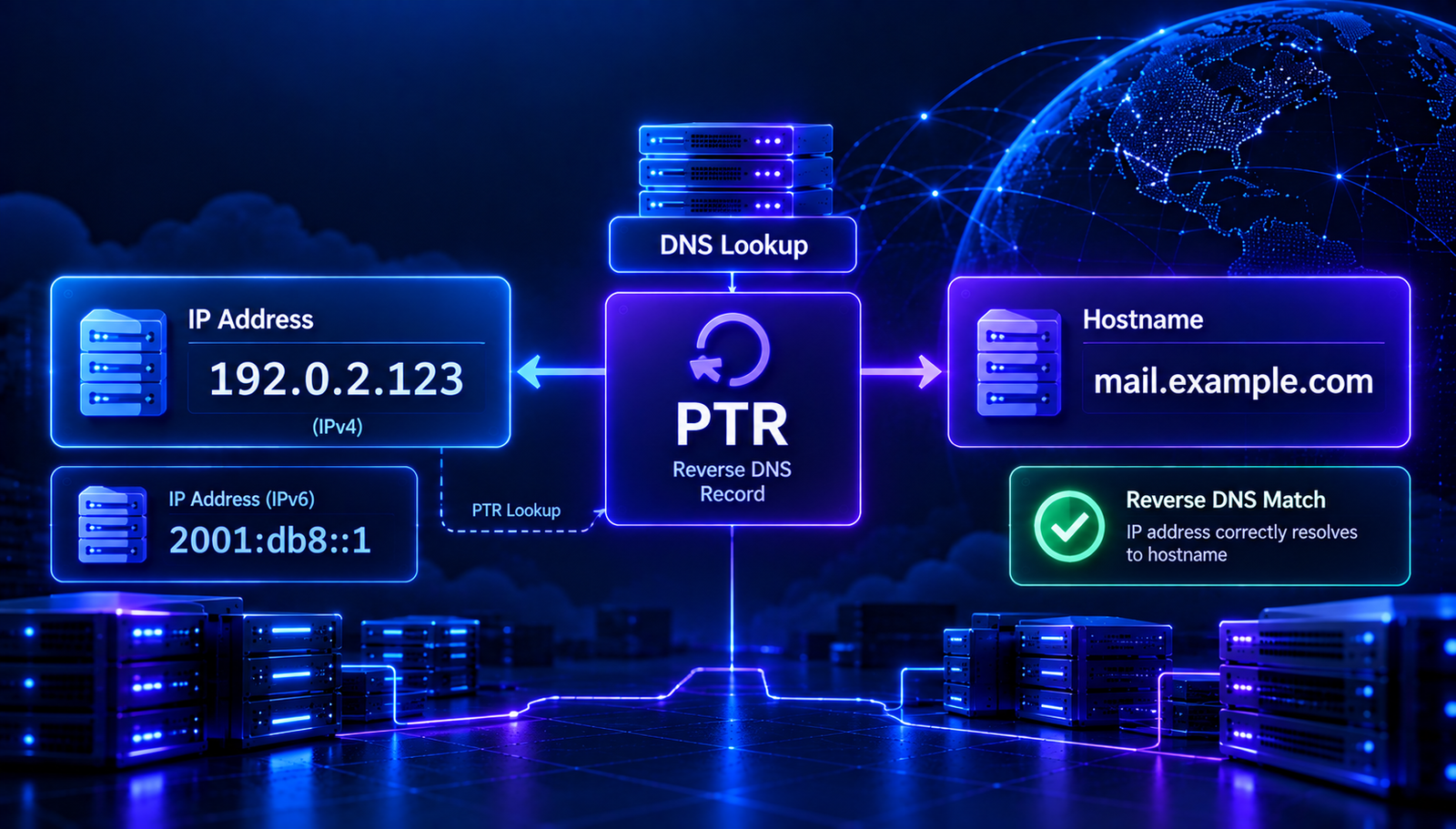
A PTR record is the DNS record used for reverse lookups. It maps an IP address to a domain name or hostname and is commonly used in network diagnostics, mail server checks, and security investigations.
In this guide, you will learn what a PTR record is, how reverse DNS works, how to check a PTR record, and how to understand common lookup results.
What Is a PTR Record?
A PTR record, also called a Pointer record, is a DNS record that maps an IP address to a hostname. It is the reverse counterpart of an address record such as A or AAAA.
For example, an A record can map a hostname to an IPv4 address. A PTR record can map that IPv4 address back to a hostname.
PTR records are stored in special reverse DNS zones. These use the in-addr.arpa domain for IPv4 and ip6.arpa for IPv6.
What Is Reverse DNS Lookup?
Reverse DNS, often shortened to rDNS, is the process of querying DNS using an IP address to find a PTR record.
A normal DNS lookup commonly follows this direction:
Hostname → IP address
A reverse DNS lookup follows the opposite direction:
IP address → Hostname
Reverse DNS does not guarantee that the returned hostname points back to the original IP address. Administrators often check both directions when validating mail server or network configurations.
How Does a PTR Record Work?
When a reverse DNS lookup is performed, the resolver converts the IP address into a special reverse lookup name and queries DNS for a PTR record.
- You start with an IP address. For example, an IPv4 address assigned to a server.
- The address is converted into a reverse DNS name. IPv4 octets are reversed, while IPv6 addresses use reversed hexadecimal nibbles.
- The resolver queries the reverse DNS zone. The query asks for PTR data at the constructed name.
- DNS returns the PTR record if one exists. The result may contain a hostname associated with the address.
- The result is interpreted. You can use the hostname for diagnostics or perform a forward lookup to check whether it resolves to the original address.
Example of an IPv4 PTR Record
Consider the documentation-only IPv4 address 192.0.2.10.
Its reverse DNS query name is:
10.2.0.192.in-addr.arpa
The IPv4 octets are written in reverse order and followed by in-addr.arpa.
An illustrative PTR record might return:
10.2.0.192.in-addr.arpa. PTR mail.example.com.
This means the reverse DNS zone associates that IP address with the hostname mail.example.com. The example address is reserved for documentation and is not a real public mail server.
Example of an IPv6 PTR Record
IPv6 reverse DNS uses the ip6.arpa namespace. The address is expanded into hexadecimal digits, separated into individual nibbles, reversed, and followed by ip6.arpa.
For example, the IPv6 address:
2001:db8::1
Expands to:
2001:0db8:0000:0000:0000:0000:0000:0001
Each hexadecimal digit is reversed into its own label for the reverse lookup name. This creates a much longer DNS name than the original IPv6 address.
IPv6 PTR records are managed in the reverse DNS zone for the relevant address block. The address owner or network provider generally controls that delegation.
Read More: Related DNS Guides
- DNS Lookup: How to Check DNS Records — learn how to inspect common DNS records for a domain.
- A Record vs CNAME — understand how hostnames map to other DNS names and IPv4 addresses.
- AAAA Record Explained — learn how DNS publishes IPv6 addresses for hostnames.
PTR Record vs. A Record vs. AAAA Record
These DNS records serve different purposes.
- A record: maps a hostname to an IPv4 address.
- AAAA record: maps a hostname to an IPv6 address.
- PTR record: maps an IP address back to a hostname through reverse DNS.
For example, a hostname might have an A record pointing to an IPv4 address, while the reverse DNS zone for that address has a PTR record pointing back to the hostname. These records are configured separately and may be managed by different providers.
Why Are PTR Records Important?
1. Email server configuration
PTR records are commonly checked in email delivery. Some receiving mail systems use reverse DNS as one signal when evaluating connections from sending mail servers.
A mail server's public IP address may have a PTR record that returns its mail hostname. Administrators often configure forward DNS so that the hostname resolves back to the same IP address.
2. Network troubleshooting
Reverse DNS can make network logs easier to interpret. Instead of seeing only an IP address, an administrator may see an associated hostname.
However, reverse DNS data is not a verified identity by itself. A PTR result should be treated as DNS information, not proof of who owns or operates a system.
3. Server administration
Hosting providers and network administrators may use reverse DNS to label servers and support operational tasks. A consistent naming scheme can make monitoring and diagnostics easier.
4. Security investigations
Analysts may use reverse DNS as one part of investigating suspicious network activity. The hostname can provide a useful clue, but it can be missing, generic, outdated, or controlled by an unrelated party.
How to Check a PTR Record
You can perform a reverse DNS lookup using command-line tools or a DNS lookup service.
Method 1: Use dig
For IPv4, run:
dig -x 192.0.2.10
The -x option tells dig to perform a reverse lookup.
For IPv6, you can use the same option with an IPv6 address:
dig -x 2001:db8::1
Replace these documentation addresses with the IP address you want to check.
Method 2: Use nslookup
You can also use:
nslookup 192.0.2.10
For an IPv6 address, provide the IPv6 address instead. The tool attempts to resolve the reverse DNS name and display any available result.
Method 3: Use an online reverse DNS lookup tool
An online reverse DNS lookup tool can help you check the PTR result without using a terminal. Enter the IP address and review the hostname returned by DNS.
You can also explore the AuraTools IP to Hostname tool to check the hostname associated with an IP address.
How to Set Up a PTR Record
PTR records are usually managed by the organization that controls the IP address block. This is often your hosting provider, cloud provider, ISP, or network administrator.
- Identify the IP address. Confirm which public IP address needs reverse DNS.
- Find the responsible provider. Check who manages reverse DNS for that address range.
- Choose the intended hostname. Use a hostname that is appropriate for the server or service.
- Configure forward DNS. If appropriate, make sure the hostname has an A or AAAA record pointing to the relevant IP address.
- Request or configure the PTR record. Use the provider's reverse DNS settings or contact its support team.
- Verify the result. Perform a reverse lookup and confirm that the returned hostname is correct.
- Check forward resolution. Resolve the returned hostname and compare its address records with the original IP.
Having access to a domain's DNS dashboard does not necessarily mean you can edit PTR records for an IP address. Reverse DNS authority is typically controlled by the IP address provider.
What Is Forward-Confirmed Reverse DNS?
Forward-confirmed reverse DNS, often called FCrDNS, is a check that compares reverse and forward DNS results.
The process generally works like this:
- Perform a reverse lookup for an IP address.
- Read the hostname returned by its PTR record.
- Perform a forward lookup for that hostname.
- Check whether the original IP address appears among the returned addresses.
If the hostname resolves back to the original IP address, the forward and reverse results are consistent for that check.
This consistency can be useful for mail server administration and troubleshooting. It does not prove that the hostname or IP address is trustworthy, and it is not a replacement for other security checks.
Common PTR Record Problems
1. No PTR record exists
Problem: A reverse lookup returns no PTR record for the IP address.
Fix: Contact the IP address provider or check its reverse DNS management panel. Confirm that reverse DNS has been configured for the correct address.
2. PTR record points to the wrong hostname
Problem: The lookup returns an old hostname or a name that does not match the intended server configuration.
Fix: Update the PTR record through the organization that controls the reverse DNS zone. Check that the hostname is spelled correctly and matches your intended configuration.
3. Forward and reverse DNS do not match
Problem: The PTR record returns a hostname, but that hostname does not resolve back to the original IP address.
Fix: Review the hostname's A or AAAA records and the PTR configuration. Coordinate changes with the relevant DNS and IP address providers.
4. PTR record changes are not visible yet
Problem: A recent update does not appear in your lookup result.
Fix: Check the authoritative data and allow for DNS caching. Try another resolver if you suspect that a cached result is being returned.
5. You cannot edit the PTR record
Problem: Your domain DNS dashboard does not offer a setting for reverse DNS.
Fix: Contact the provider that assigned or manages the IP address. Ask whether it supports custom reverse DNS for your address or network range.
PTR Records and Email Deliverability
Some receiving mail systems use reverse DNS as part of their connection checks. A missing or unexpected PTR record can contribute to delivery problems in some environments, but it is not the only factor that determines whether email is accepted.
For a mail server, administrators commonly aim for a consistent configuration:
- The server's public IP has an appropriate PTR record.
- The PTR record returns the intended mail hostname.
- The hostname has forward DNS that resolves to the relevant server address.
- SPF authorizes the sending source where required.
- DKIM signing is configured for the sending domain.
- DMARC is configured to evaluate authentication and alignment.
These settings have different roles. A correct PTR record does not replace SPF, DKIM, or DMARC.
PTR Record Best Practices
- Use a hostname that accurately describes the server or service.
- Coordinate PTR changes with the IP address provider.
- Check both IPv4 and IPv6 reverse DNS when your server uses both.
- Verify forward and reverse DNS consistency where appropriate.
- Keep reverse DNS information updated when server addresses or hostnames change.
- Do not treat a PTR result as proof of identity or trustworthiness.
- For email systems, review PTR alongside SPF, DKIM, and DMARC.
Frequently Asked Questions
Is a PTR record the same as reverse DNS?
Not exactly. Reverse DNS is the lookup process, while a PTR record is the DNS record type used to return a hostname for an IP address.
Can one IP address have multiple PTR records?
DNS can technically return multiple PTR records, but many applications expect a single canonical reverse hostname for an address. For services such as mail servers, follow the requirements of your provider and receiving systems.
Can I create a PTR record in my domain registrar?
Usually, PTR records are controlled by the provider responsible for the IP address block rather than the registrar responsible for your domain. Some cloud and hosting providers let you configure reverse DNS from their own dashboards.
Does every IP address have a PTR record?
No. PTR records are not guaranteed to exist for every IP address. Some addresses have no reverse DNS entry, and others may use provider-assigned hostnames.
Does a PTR record improve email deliverability?
A correctly configured PTR record can help satisfy reverse DNS checks used by some receiving systems. Email delivery also depends on other authentication methods, sender reputation, message characteristics, and receiver-specific policies.
What is the difference between PTR and MX?
MX records identify mail servers responsible for receiving email for a domain. PTR records map an IP address to a hostname through reverse DNS. They serve different purposes and are configured in different DNS locations.
Conclusion
PTR records connect IP addresses to hostnames through reverse DNS. They are useful for network diagnostics and are often part of mail server configuration checks.
To troubleshoot reverse DNS, start with the IP address, check its PTR result, and confirm that the returned hostname resolves as expected. If the PTR record is missing or incorrect, contact the provider that manages the IP address block. For email servers, review reverse DNS together with SPF, DKIM, and DMARC.
Contact
Missing something?
Feel free to request missing tools or give some feedback using our contact form.
Contact Us