19
CNAME Record Explained: What Is a CNAME and How Does It Work
Learn what a CNAME record is, how DNS CNAME records work, when to use a CNAME, and how CNAME differs from A, AAAA, and MX records.
A CNAME record is a DNS record used to point one hostname to another hostname. CNAME stands for Canonical Name.
Unlike an A record, a CNAME does not directly store an IPv4 address. Instead, it tells DNS that one hostname should use another hostname as its canonical destination.
For example, a CNAME can connect:
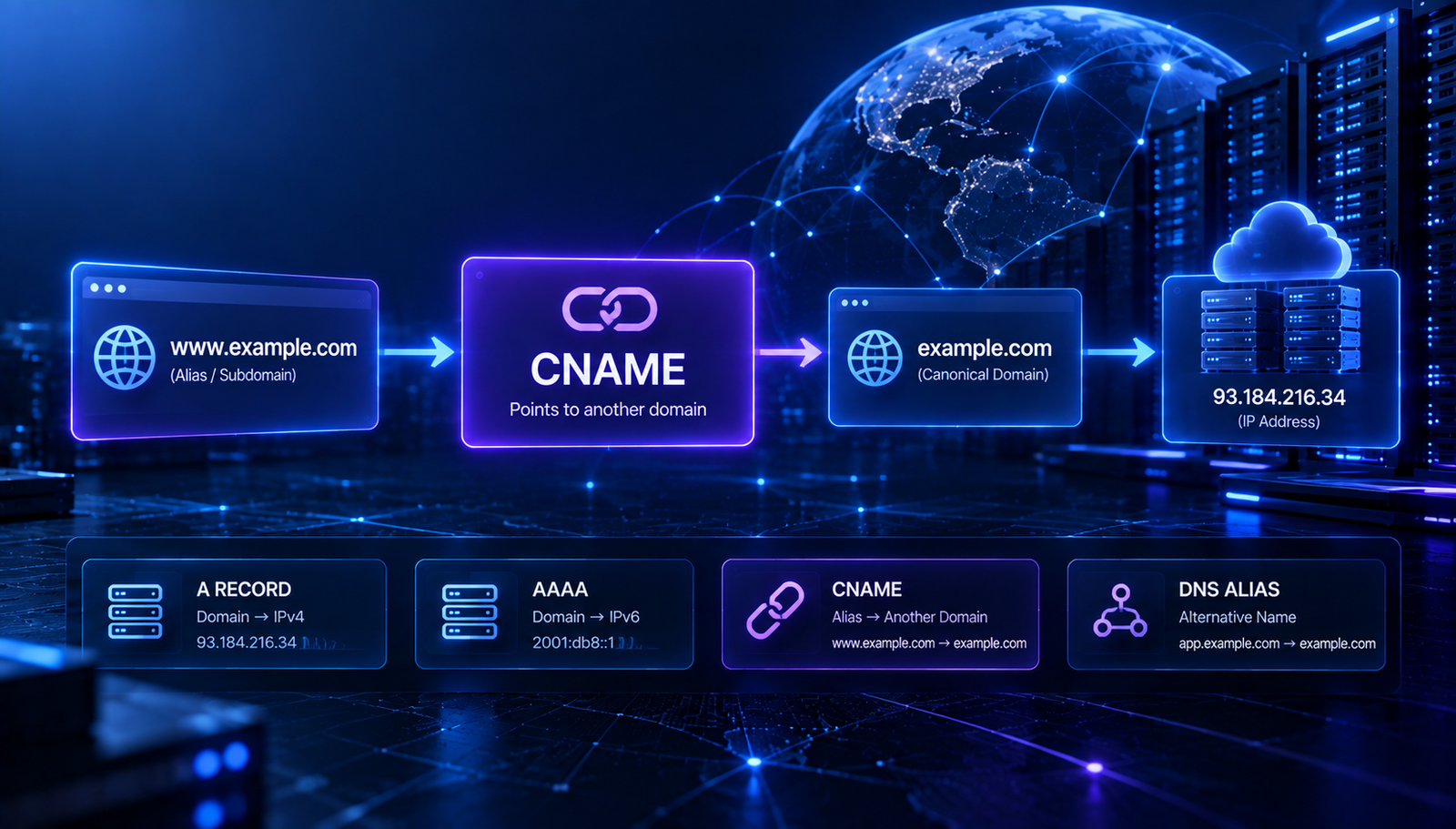
www.example.com → example.com
This can be useful when you want multiple hostnames to refer to the same destination without manually entering the destination IP address for every hostname.
In this guide, we will explain what a CNAME record is, how it works, when to use one, and how it differs from other common DNS records.
What Is a CNAME Record?
A CNAME record is a DNS record that maps one hostname to another hostname.
A simple example looks like this:
www.example.com CNAME example.com
Here, www.example.com is the alias and example.com is the canonical hostname.
When DNS resolves the CNAME, it can continue resolving the target hostname to find the appropriate address record.
For example:
www.example.com
       ↓
     CNAME
       ↓
example.com
       ↓
      A
       ↓
  192.0.2.10
This allows the hostname www.example.com to follow the DNS configuration of example.com.
How Does a CNAME Record Work?
The basic CNAME process is simple.
- A user requests a hostname.
- DNS finds a CNAME record for that hostname.
- The CNAME points to another hostname.
- DNS continues resolving the target hostname.
- The final address record provides the destination address.
For example:
www.example.com
        ↓
CNAME → example.com
        ↓
A → 192.0.2.10
The important point is that the CNAME target is another hostname, not an IP address.
Read More
Continue learning about the DNS records used with CNAME:
- DNS Lookup: How to Check DNS Records for Any Domain
- A Record vs CNAME: What Is the Difference and Which Should You Use?
- AAAA Record Explained: What Is an IPv6 DNS Record and How Does It Work?
CNAME Record Example
A typical CNAME record might look like this:
Type:   CNAME
Name:   www
Target: example.com
TTL:    3600
In this example, www.example.com points to example.com.
The DNS provider may display the target with or without a trailing dot depending on its interface.
What Is a CNAME Used For?
CNAME records are commonly used when one hostname should refer to another hostname.
Common use cases include:
- Pointing www to a root domain
- Connecting a subdomain to another hostname
- Using third-party services with a custom subdomain
- Connecting websites to SaaS platforms
- Creating hostname aliases
- Managing services through provider-controlled hostnames
For example, a SaaS provider may ask you to create:
app.example.com CNAME customer.service-provider.com
The service provider can then manage the destination hostname without requiring you to manually maintain its changing IP addresses.
CNAME vs A Record
The difference between a CNAME and an A record is one of the most common DNS questions.
FeatureCNAMEA RecordTarget | Hostname | IPv4 address
Purpose | Hostname alias | IPv4 address mapping
Example | example.com | 192.0.2.10
Can point directly to an IP? | No | Yes
For example:
www.example.com    CNAME    example.com

example.com        A        192.0.2.10
The CNAME points to the hostname while the A record provides the IPv4 address.
CNAME vs AAAA Record
An AAAA record maps a hostname directly to an IPv6 address.
A CNAME points to another hostname.
AAAA:

example.com    AAAA    2001:db8::10


CNAME:

www.example.com    CNAME    example.com
These records solve different DNS problems and may be used together in the same DNS configuration.
CNAME vs MX Record
An MX record is designed for email routing. A CNAME is designed for hostname aliases.
For example:
Mail routing:

example.com    MX    10    mail.example.com


Hostname alias:

www.example.com    CNAME    example.com
An MX record should not be replaced with a CNAME simply because both records contain hostnames.
Can a CNAME Point to Another CNAME?
A DNS configuration can contain chains of aliases in some situations, where one CNAME points to another hostname that itself resolves through another alias.
For example:
www.example.com
      ↓
CNAME → site.example.net
      ↓
CNAME → hosting.example.net
      ↓
A → 192.0.2.10
However, long CNAME chains add extra DNS resolution steps and can make troubleshooting more difficult. A simpler DNS structure is generally easier to understand and maintain.
Can You Use a CNAME for the Root Domain?
Traditional DNS has restrictions around placing a standard CNAME at the zone apex, also called the root domain.
For example, this is the root:
example.com
And this is a subdomain:
www.example.com
Many DNS providers offer special features such as ALIAS, ANAME, or provider-specific flattening to provide similar behavior at the root domain.
The exact behavior depends on your DNS provider. If your provider specifically tells you to use an ALIAS or ANAME-style record, follow its documentation rather than creating a standard CNAME at the zone apex.
CNAME and Subdomains
CNAME records are commonly used with subdomains.
For example:
blog.example.com    CNAME    blogs.example.net
app.example.com     CNAME    customer.platform.com
shop.example.com    CNAME    stores.example.net
This can be useful when a service provider gives you a hostname that should be connected to your own subdomain.
CNAME for Third-Party Services
Many online services use hostname-based configuration.
For example, a platform may tell you to create:
Type:   CNAME
Name:   app
Target: customer.platform.example
After the DNS change is published, app.example.com can resolve through the provider's hostname.
The provider may then manage the underlying infrastructure without requiring you to know its current IP addresses.
Common CNAME Mistakes
1. Putting an IP Address in a CNAME
A CNAME target should be a hostname, not an IPv4 or IPv6 address.
For example:
Incorrect:
www.example.com    CNAME    192.0.2.10

Correct:
www.example.com    CNAME    example.com
2. Creating Conflicting Records
A hostname generally cannot have a standard CNAME alongside other data at the same name.
For example, avoid creating a configuration like:
www.example.com    CNAME    example.com
www.example.com    A        192.0.2.10
If you need direct address records at that hostname, the DNS design should be configured accordingly rather than mixing a CNAME with conflicting records.
3. Using the Wrong Target
Check the hostname provided by your hosting or SaaS provider carefully.
4. Forgetting DNS Caching
After changing a CNAME record, cached DNS results can continue to show the previous configuration for some time.
5. Creating a CNAME at the Wrong Hostname
Make sure the record name matches the hostname that you actually want to configure.
How to Check a CNAME Record
You can check the CNAME records published for a hostname using a DNS lookup tool.
Use the AuraTools DNS Lookup tool and query the hostname you want to inspect.
Look for a result with the record type CNAME.
A result may look like:
www.example.com CNAME example.com
You can then check the target hostname to understand where the alias eventually resolves.
How to Troubleshoot a CNAME Record
If a CNAME is not working, check the DNS configuration step by step.
- Confirm that the CNAME exists.
- Check the record name.
- Verify the target hostname.
- Make sure the target hostname resolves correctly.
- Check for conflicting DNS records.
- Check whether the DNS change has propagated.
- Confirm that the third-party service has accepted the domain configuration.
You can begin with the AuraTools DNS Lookup tool to inspect the publicly visible DNS configuration.
How Long Does a CNAME Change Take?
There is no single fixed time for every CNAME update.
DNS caching depends on the record's TTL and the resolver's existing cached information.
If you have just changed a CNAME record, verify the new public result and allow DNS caches time to expire before assuming that the configuration has failed.
CNAME and Website Performance
A CNAME introduces another hostname into the DNS resolution process. In most normal configurations, this is not something website owners need to manage manually.
However, unnecessarily long chains of aliases can make DNS troubleshooting more difficult.
For important production systems, keep the DNS structure clear and follow the configuration recommended by your hosting or service provider.
Frequently Asked Questions
What is a CNAME record?
A CNAME record maps one hostname to another hostname. CNAME stands for Canonical Name.
What is a CNAME used for?
CNAME records are commonly used for hostname aliases, subdomains, SaaS platforms, and third-party services.
Can a CNAME point to an IP address?
No. A CNAME should point to a hostname. A and AAAA records are used to publish IPv4 and IPv6 addresses.
What is the difference between CNAME and A record?
A CNAME points to another hostname. An A record maps a hostname directly to an IPv4 address.
Can I use a CNAME for www?
Yes. A common configuration is to use a CNAME for www that points to another hostname.
Can I use a CNAME for the root domain?
Traditional DNS has restrictions on standard CNAME records at the zone apex. Some DNS providers offer ALIAS, ANAME, or CNAME-flattening features for similar use cases.
How do I check a CNAME record?
You can use a DNS lookup tool and query the hostname to see whether a CNAME is publicly published.
Final Takeaway
A CNAME record creates an alias from one hostname to another hostname. It is commonly used for subdomains, website services, SaaS platforms, and other systems where a hostname needs to follow another hostname.
Unlike an A record, a CNAME does not directly contain an IP address. The target hostname is resolved separately to determine the final destination.
Before adding a CNAME, always check the instructions from your hosting or service provider and make sure the target hostname is correct.
Check CNAME records with AuraTools DNS Lookup to inspect the DNS configuration currently published for your hostname.
Contact
Missing something?
Feel free to request missing tools or give some feedback using our contact form.
Contact Us