28
SOA Record Explained: What Is a DNS Start of Authority Record
Learn what an SOA record is, what its fields mean, and how serial numbers, refresh intervals, retry settings, and TTL values work in DNS.
An SOA record is an important DNS record that stores administrative information about a DNS zone. SOA stands for Start of Authority.
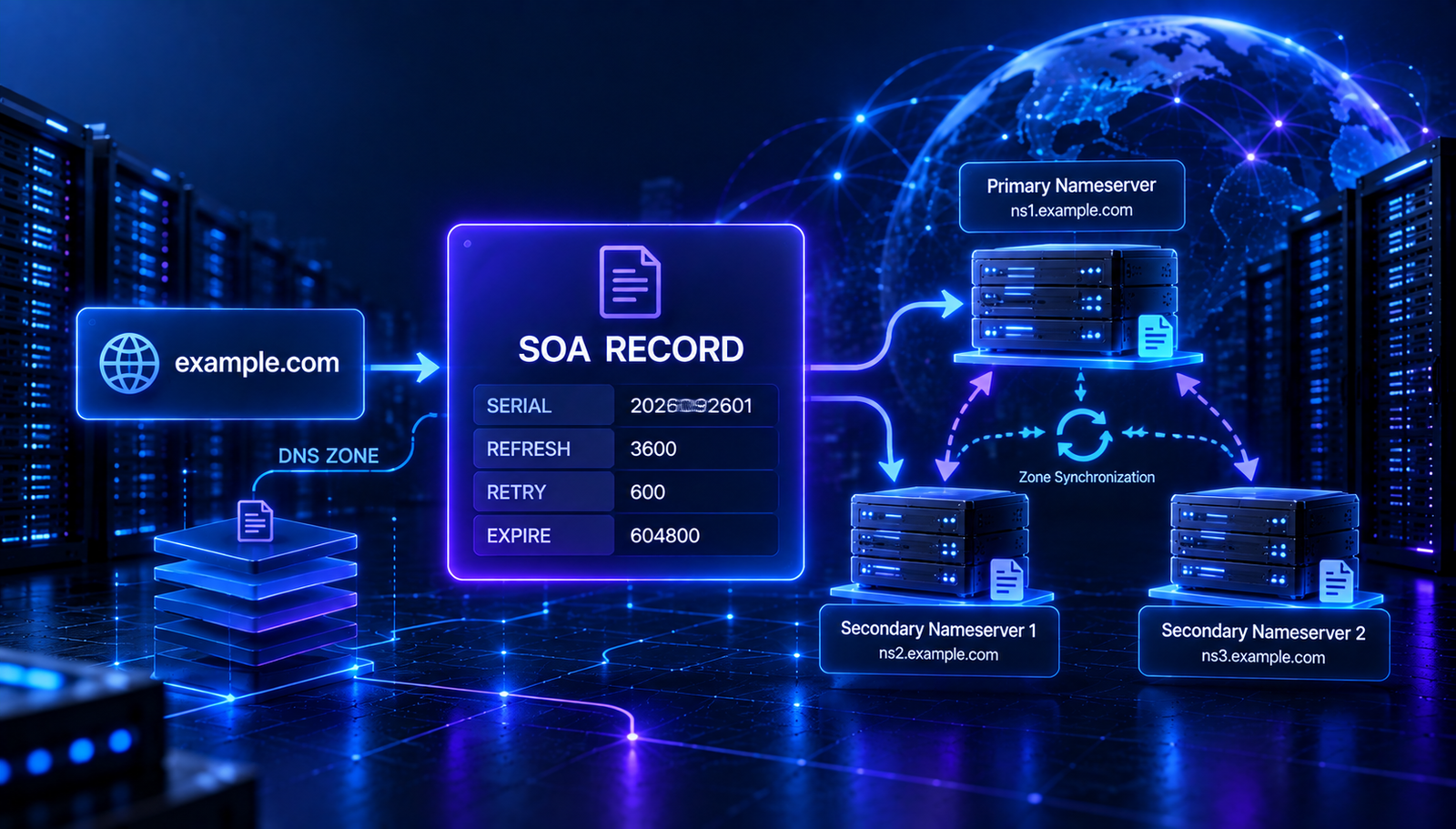
Every standard DNS zone has an SOA record. It identifies key details about the zone, including its primary nameserver, the responsible email contact, a serial number, and timing values used by secondary DNS servers.
In this guide, you will learn what an SOA record is, what each field means, how the serial number works, and how to check an SOA record for a domain.
What Is an SOA Record?
An SOA record is a DNS record that contains essential administrative information for a DNS zone.
It is called a Start of Authority record because it marks important authority and management information for the zone.
A typical SOA record contains:
- The primary nameserver for the zone
- The responsible party's email address, represented in DNS format
- A zone serial number
- A refresh interval
- A retry interval
- An expire interval
- A minimum or negative-caching TTL value
These values help define how the zone is maintained and how secondary DNS servers can check for updates.
SOA Record Example
A simplified SOA record may look like this:
example.com. IN SOA ns1.example-dns.com. hostmaster.example.com. (
  2026092901
  3600
  900
  1209600
  300
)
This example contains a primary nameserver, a responsible contact, and five numeric values.
The numbers are illustrative. Actual values depend on the DNS provider and zone configuration.
What Do SOA Record Fields Mean?
1. Primary Nameserver (MNAME)
The first field identifies the primary nameserver for the zone in the SOA record.
For example:
ns1.example-dns.com.
This field is called MNAME. It identifies the nameserver designated as the original source of zone data for certain DNS operations.
2. Responsible Email Address (RNAME)
The second field represents the email address of the person or team responsible for the zone.
For example:
hostmaster.example.com.
In SOA syntax, the first dot represents the @ symbol in the email address. This example corresponds to hostmaster@example.com.
The address is written in DNS name format rather than as a normal email address.
3. Serial Number
The serial number identifies the version of the zone data.
For example:
2026092901
When zone data changes, the serial number should be updated so secondary nameservers can detect that a newer version is available.
Some administrators use a date-based format, but the serial number is an integer and does not have to follow a date pattern.
4. Refresh Interval
The refresh value tells secondary servers how often they should check the primary server for changes to the zone.
For example:
3600
This value is measured in seconds. A refresh value of 3600 means one hour.
5. Retry Interval
The retry value tells a secondary server how long to wait before trying again if a refresh attempt fails.
For example:
900
This represents 900 seconds, or 15 minutes.
6. Expire Interval
The expire value defines how long a secondary server can continue treating its zone data as valid if it cannot refresh the zone from the primary server.
For example:
1209600
This is 14 days in seconds.
7. Minimum or Negative-Caching TTL
The final SOA value is associated with the minimum TTL field. In modern DNS practice, it is used in determining how long negative answers, such as a name not existing, may be cached.
For example:
300
This value represents 300 seconds, or five minutes.
Read More
Explore these related DNS guides to understand how SOA fits into DNS management:
- DNS Lookup: How to Check DNS Records for Any Domain
- NS Record Explained: What Is a Nameserver and How Does DNS Delegation Work?
- TXT Record Explained: What Is a TXT Record and How Does DNS Verification Work?
What Is an SOA Serial Number?
The SOA serial number is used by secondary DNS servers to identify changes to zone data.
When a secondary server checks the primary server, it can compare the serial numbers. If the primary server has a newer serial number, the secondary server knows that it may need to transfer updated zone data.
For example:
Old serial: 2026092801
New serial: 2026092901
The newer serial indicates a later version of the zone, assuming the serials are compared according to DNS serial number rules.
Updating the serial number is an important part of maintaining DNS zones that use primary and secondary servers.
SOA Record vs NS Record
SOA and NS records are both essential parts of DNS, but they have different purposes.
FeatureSOA RecordNS RecordMain purpose | Stores zone administration and timing data | Identifies authoritative nameservers
Contains | Primary server, contact, serial and timers | Nameserver hostnames
Common use | Zone management and synchronization | DNS authority and delegation
In simple terms, NS records identify nameservers, while the SOA record provides administrative information about the zone.
Why Is the SOA Record Important?
The SOA record is important because it helps DNS administrators and secondary servers manage zone information.
It is useful for:
- Identifying zone administration information
- Tracking zone versions through the serial number
- Supporting secondary DNS refresh checks
- Defining retry and expiry behavior
- Controlling negative caching behavior through the SOA-related minimum value
- Troubleshooting DNS zone configuration
How to Check an SOA Record
You can inspect the SOA record for a domain using a DNS lookup tool that supports SOA queries.
Use AuraTools DNS Lookup to check DNS information for your domain. If SOA queries are supported in the tool, select or query the SOA record type.
A command-line lookup can also be used:
dig example.com SOA
The response can show the primary nameserver, responsible contact, serial number, and timer values.
Common SOA Record Problems
1. Serial Number Not Updated
If zone data changes but the serial number is not updated, secondary servers may not detect the new version through normal serial comparisons.
2. Incorrect Refresh Value
An unsuitable refresh interval can affect how frequently secondary servers check for updates.
3. Incorrect Retry or Expire Values
Retry and expire settings affect how secondary servers behave when they cannot contact the primary server.
4. Confusing the SOA Contact Format
The responsible contact field uses DNS name syntax. It does not appear as a standard email address with an @ symbol.
5. Assuming the Minimum Field Is the Zone's Default TTL
The final SOA field is associated with negative caching. It should not be confused with the TTL of every record in the zone.
How to Troubleshoot SOA Records
If you are investigating a DNS zone issue, use this checklist:
- Query the domain's SOA record.
- Check that the primary nameserver field is expected.
- Review the responsible contact field.
- Check the serial number against the current zone version.
- Review refresh, retry, and expire values.
- Compare the SOA information returned by the authoritative nameservers if you suspect inconsistent zone data.
Frequently Asked Questions
What does SOA stand for in DNS?
SOA stands for Start of Authority.
Does every DNS zone have an SOA record?
Every standard DNS zone has an SOA record as part of its zone data.
What is the SOA serial number?
It is a version number for the zone data that helps secondary DNS servers detect updates.
What is the SOA refresh value?
It tells secondary servers how often to check the primary server for zone updates.
What is the SOA expire value?
It defines how long a secondary server can continue using zone data if it cannot refresh it from the primary server.
Is SOA the same as NS?
No. SOA stores administrative and timing information for a zone. NS records identify authoritative nameservers.
Final Takeaway
An SOA record is a core DNS record that stores administrative information and timing values for a DNS zone.
Its serial number helps secondary servers detect zone updates, while its refresh, retry, and expire values support zone synchronization behavior.
Understanding SOA records can help you troubleshoot DNS issues and manage zones more confidently.
Check DNS information with AuraTools DNS Lookup to begin inspecting your domain's records.
Contact
Missing something?
Feel free to request missing tools or give some feedback using our contact form.
Contact Us